Google Analytics for SEO: Traffic, Rankings & Growth
Introduction
In today’s digital-first world, simply having a website is not enough to achieve business success. Businesses need to understand how users interact with their website, where their traffic is coming from, and how effectively visitors are converting into customers. Without these insights, it becomes difficult to grow, optimize performance, or compete in the online market.
Tools like Google Analytics and Google Search Console play a crucial role in this process. Google Analytics helps track user behavior, engagement, and conversions, while Google Search Console provides insights into search performance, keyword rankings, and indexing status. Together, they give a complete view of your website’s performance.
By using these tools, businesses can make data-driven decisions instead of relying on guesswork. They can identify which pages perform best, improve weak areas, optimize content, and enhance user experience. This leads to better search rankings, increased traffic, and higher conversion rates over time.
This article provides a practical guide on how to use Google Analytics for SEO, including how to track website visitors, analyze traffic for free, add your website to Google search, monitor rankings, and measure conversion rates to achieve long-term business growth.
What is Google Analytics and Why It Matters
Google Analytics (GA4) is a web analytics platform that tracks and reports website traffic and user behavior. It collects data through a tracking code installed on your website and provides detailed reports that help you understand how users interact with your content.
The importance of Google Analytics lies in its ability to answer key business questions. It helps you understand how many users visit your website, which pages they view, how long they stay, and whether they complete desired actions such as making a purchase or filling out a contact form. This information is critical for improving user experience, optimizing marketing strategies, and increasing conversions.
In SEO, Google Analytics plays a supporting role by showing what happens after users land on your website. While Search Console tells you how users find your site, Analytics shows how they behave once they arrive. Together, these tools provide a complete picture of your website’s performance.
Google Analytics Usage Statistics in India
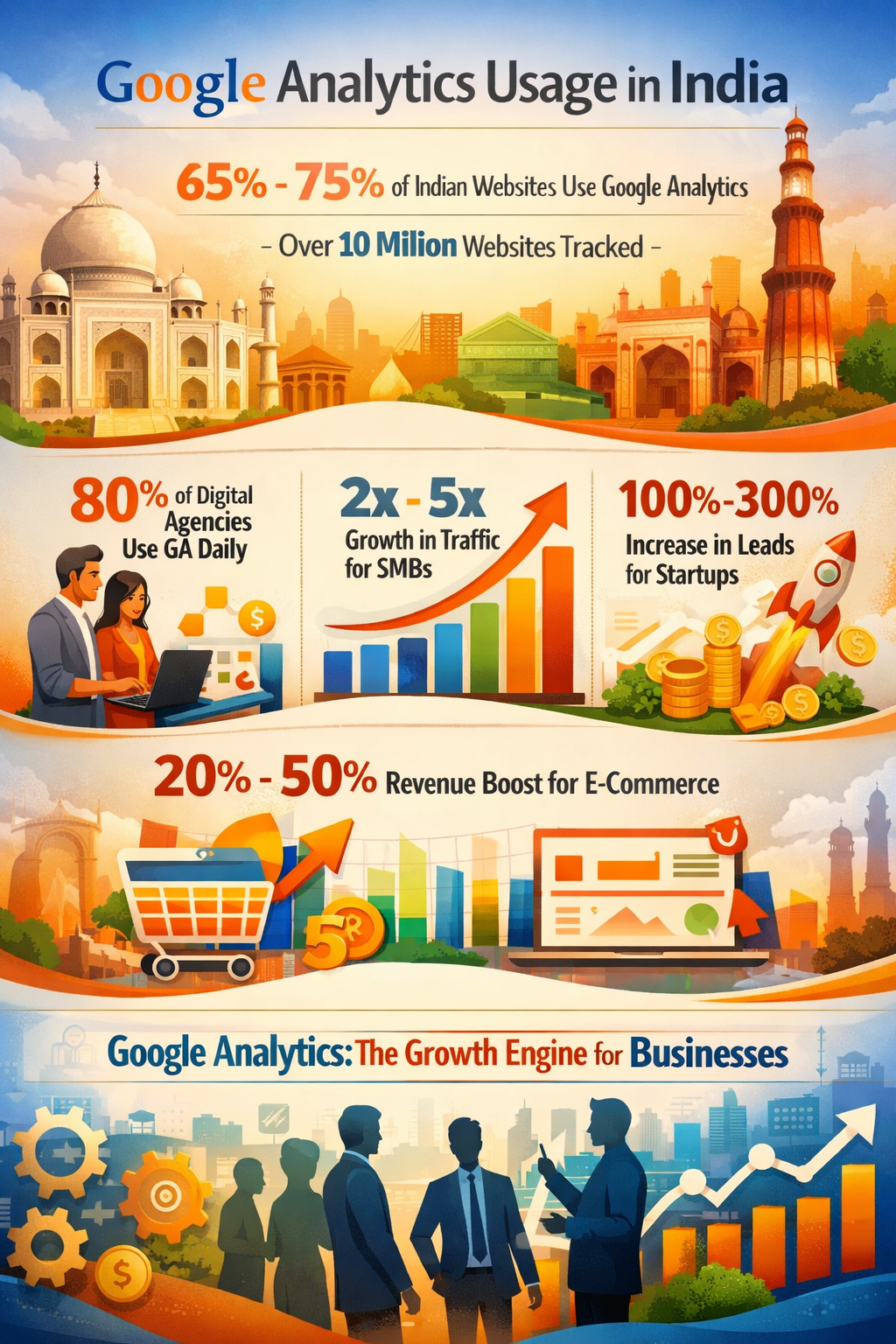
Google Analytics has become the standard analytics tool for businesses in India. According to industry estimates, approximately 65% to 75% of websites in India use Google Analytics or GA4 for tracking and reporting. This translates to over 10 million websites actively using analytics tools to monitor performance.
Digital marketing agencies in India rely heavily on Google Analytics, with nearly 80% of agencies using it daily to manage client campaigns and measure ROI. Businesses that actively use analytics data tend to perform significantly better than those that do not.
For example, small and medium businesses that implement Google Analytics properly often experience 2x to 5x growth in website traffic within 6 to 12 months. Startups using conversion tracking and data-driven optimization report increases of 100% to 300% in lead generation. E-commerce businesses that optimize their conversion funnels using analytics data can see revenue increases of 20% to 50%.
These statistics clearly show that Google Analytics is not just a tracking tool—it is a growth engine for businesses.
How to Check How Many Visitors a Website Gets
One of the primary functions of Google Analytics is tracking the number of visitors to your website. After setting up your account and installing the tracking code, you can access this data through the Traffic Acquisition report.
This report provides key metrics such as users, sessions, and engagement rate. Users represent unique visitors, while sessions represent the total number of visits, including repeat visits by the same user. Understanding this distinction is important for analyzing user behavior accurately.
The real-time report is another useful feature that allows you to see how many users are currently active on your website. This is especially valuable during live campaigns, promotions, or product launches.
To gain deeper insights, businesses should analyze traffic trends over time, identify the main traffic sources, and evaluate which pages are performing best. For example, if a particular blog post is attracting a large number of visitors, it may be worth creating similar content to increase traffic further.
By regularly monitoring these metrics, businesses can identify growth opportunities and make data-driven decisions.
How to Check Website Traffic Free Online
While Google Analytics provides accurate data for your own website, there are several free tools available for analyzing website traffic, including competitor websites.
Google Search Console is one of the most important tools for tracking organic traffic. It provides data on clicks, impressions, and keyword rankings directly from Google search results. This makes it an essential tool for SEO analysis.
Other tools such as Ubersuggest, SimilarWeb, and Ahrefs provide estimated traffic data and insights into competitor performance. These tools allow businesses to analyze competitor strategies, identify high-performing keywords, and discover content opportunities.
Although these tools provide estimates rather than exact data, they are still highly valuable for research and planning. By understanding what works for competitors, businesses can refine their own strategies and improve their performance.
How to Add Your Website to Google Search
For a website to appear in search results, it must first be indexed by Google. Indexing is the process by which Google discovers and stores your website pages in its database.
Using Google Search Console, businesses can add their website, verify ownership, and submit a sitemap. A sitemap is a file that lists all the important pages on your website, helping search engines crawl and index them more efficiently.
The URL Inspection tool allows businesses to request indexing for individual pages. This is particularly useful when publishing new content and wanting it to appear in search results quickly.
To improve indexing, websites should follow best practices such as ensuring mobile-friendliness, improving page speed, and maintaining high-quality content. Avoiding issues like duplicate content and blocked pages is also essential for proper indexing
How to Find Website Ranking in Google
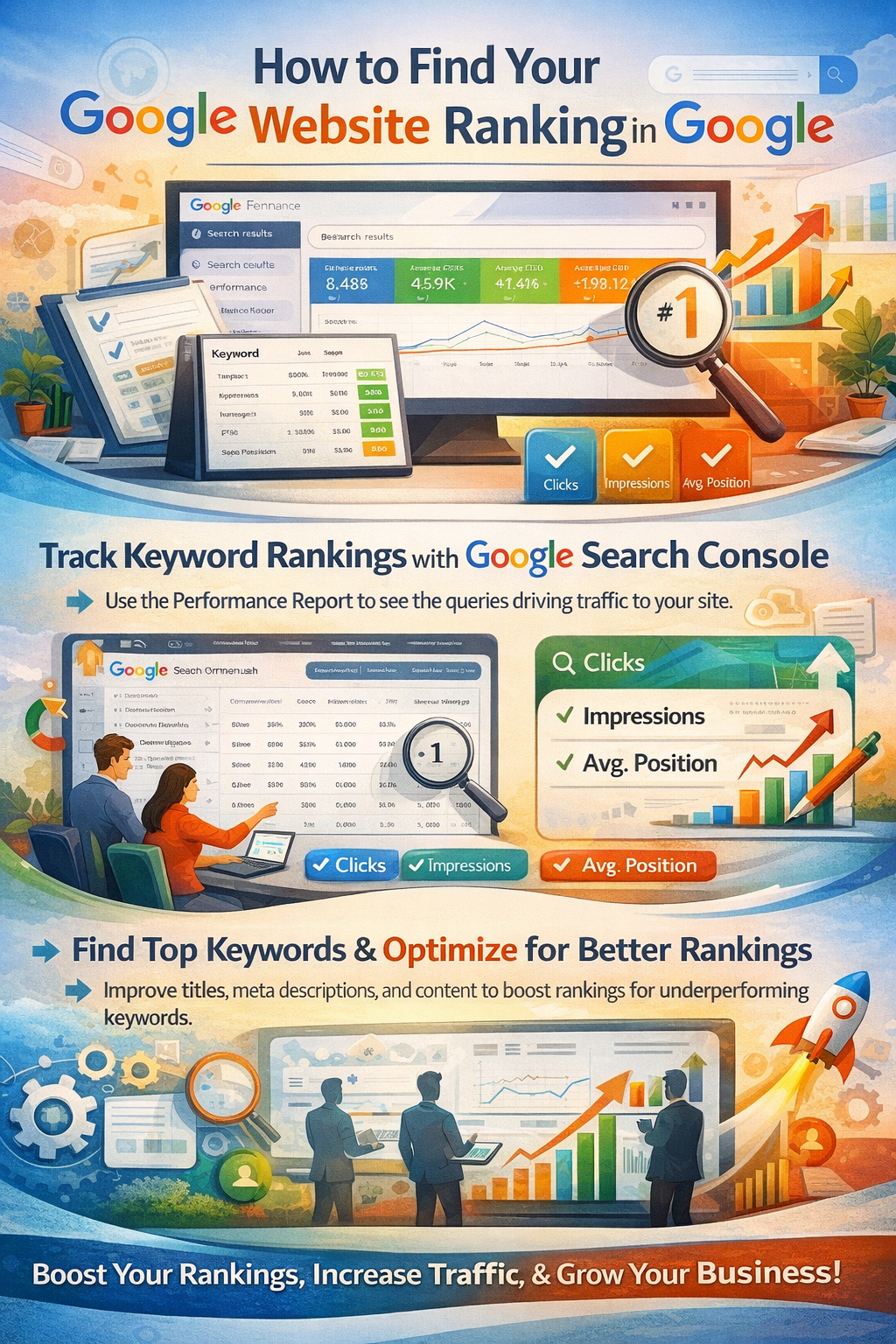
Tracking keyword rankings is essential for measuring SEO success. Google Search Console provides detailed insights into keyword performance through the Performance report.
This report shows the search queries that bring users to your website, along with metrics such as clicks, impressions, and average position. The average position indicates where your website appears in search results for a given keyword.
By analyzing this data, businesses can identify high-performing keywords and optimize content to improve rankings for underperforming keywords. For example, improving titles, meta descriptions, and content quality can increase click-through rates and boost rankings.
Regular monitoring of keyword performance helps businesses stay competitive and adapt to changes in search algorithms.
How to Track Conversion Rate in Google Analytics
Conversions are the ultimate measure of success for any website. A conversion occurs when a user completes a desired action, such as making a purchase, filling out a form, or signing up for a newsletter.
The conversion rate is calculated using the formula:
Conversion Rate = (Conversions ÷ Total Visitors) × 100
In Google Analytics GA4, conversions are tracked using events. Businesses can create events for specific actions and mark them as conversions. This allows them to track how many users complete these actions and analyze which pages or campaigns are most effective.
Conversion tracking also enables funnel analysis, which shows the steps users take before completing a conversion. By identifying where users drop off, businesses can optimize their website to improve conversion rates.
For example, simplifying a checkout process or improving a landing page design can significantly increase conversions.
Pavlite Tech Case Study: Using Google Analytics for Business Growth
Pavlite Tech can use Google Analytics and SEO strategies to achieve significant growth in traffic and conversions.
The first step is setting up proper tracking using Google Analytics and Search Console. This ensures that all website activity is accurately recorded and analyzed.
Next, Pavlite Tech can analyze user behavior to understand which pages attract the most visitors, how long users stay, and where they leave. This information can be used to improve content and user experience.
Keyword optimization is another important step. By identifying high-performing keywords and targeting long-tail keywords, Pavlite Tech can improve its search rankings and attract more relevant traffic.
Content strategy plays a crucial role in growth. Regularly publishing high-quality, SEO-optimized content helps increase organic traffic and establish authority in the industry.
Finally, conversion optimization ensures that traffic is turned into leads or customers. By improving landing pages, adding clear calls-to-action, and optimizing forms, Pavlite Tech can increase its conversion rate and generate more business.
Real Business Growth Strategy Using Analytics
Successful businesses follow a structured approach to growth using analytics. They start by generating traffic through SEO, social media, and paid campaigns. They then use Google Analytics to track user behavior and identify high-performing pages.
Based on these insights, they optimize content, improve website design, and enhance user experience. They also focus on conversion rate optimization to maximize the value of their traffic.
This process is continuous, with businesses regularly analyzing data, testing new strategies, and making improvements. Over time, this leads to steady growth in traffic, rankings, and revenue.
Frequently Asked Questions (FAQ)
What is Google Analytics used for?
Google Analytics is used to track website traffic, user behavior, and conversions. It helps businesses understand how users interact with their website and make data-driven decisions.
How many Indian businesses use Google Analytics?
Approximately 65% to 75% of websites in India use Google Analytics, making it the most widely used analytics tool in the country.
What is a good conversion rate?
A good conversion rate typically ranges from 2% to 5%, although optimized websites can achieve higher rates depending on the industry.
Can I check competitor website traffic?
Yes, tools like Ubersuggest and SimilarWeb provide estimated traffic data that can be used for competitor analysis.
How long does it take to see SEO results?
SEO typically takes 3 to 6 months to show significant results, depending on competition, strategy, and consistency.
Is Google Analytics free?
Yes, Google Analytics is completely free and widely used by businesses around the world.
Conclusion
Google Analytics is one of the most powerful tools available for understanding website performance and driving business growth. By tracking visitors, analyzing traffic sources, monitoring keyword rankings, and optimizing conversions, businesses can achieve long-term success.
In India, the majority of digital businesses rely on analytics to scale their operations. Companies that use data-driven strategies grow faster, make better decisions, and achieve higher returns.
For brands like Pavlite Tech, implementing Google Analytics effectively can lead to significant improvements in traffic, rankings, and conversions. The key to success lies in continuous analysis, optimization, and strategic execution.
Contact Information
For businesses looking to implement these strategies and grow their online presence:
Website: https://www.pavlite.in/
Phone: 9398749636